LeftUnlocked
On 2 Oct 2026, Lighthouse measured 2.5 s until the main content shows on a phone. Left Unlocked is a security scanner for apps built with AI tools, and I designed and built all of it.
leftunlocked.com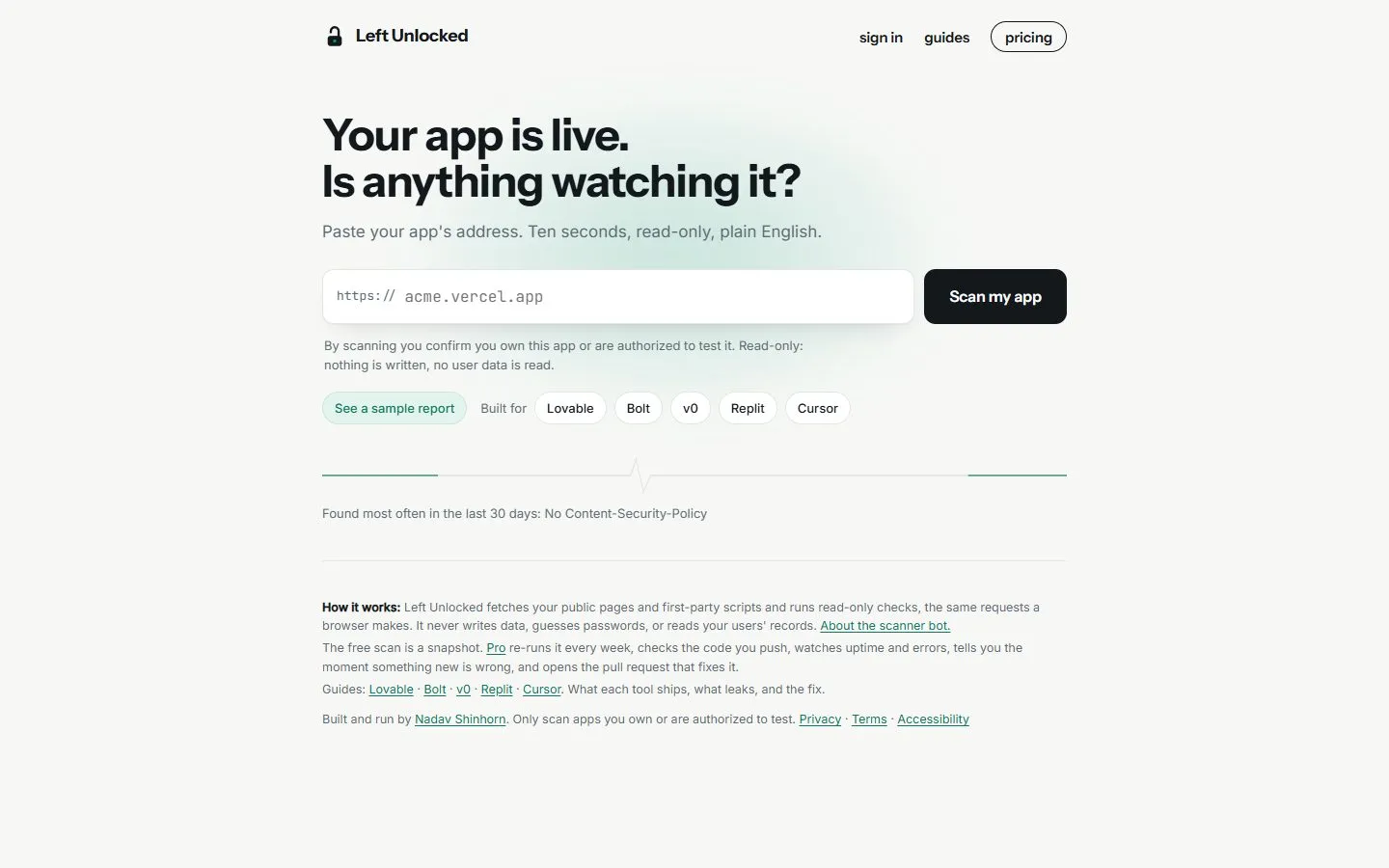
Measured on the live site
Lighthouse · measured 2 Oct 2026
| Metric | Mobile | Desktop |
|---|---|---|
| Performance | 95 | 100 |
| Accessibility | 100 | 100 |
| Best practices | 100 | 100 |
| SEO | 100 | 100 |
| LCP | 2.5s | 0.5s |
Security headers · 2 Oct 2026
A
- Present:Content-Security-Policyno unsafe-inline
- Present:Strict-Transport-Security
- Present:X-Frame-OptionsDENY
- Present:X-Content-Type-Options
- Present:Referrer-Policy
- Present:Permissions-Policy
The site’s own security headers meet the same standard it checks other sites against.
The product is live and used by real people: 301 scans in the 30 days up to 2 Oct 2026, with payments, GitHub sign-in and automatic pull requests with the fixes.
Scan grades, last 30 days
From the site’s public stats, as of 2 Oct 2026
The pages
Decisions
AI tools like Lovable and Bolt let anyone put an app online in an afternoon. Security is left to whoever built it, and it shows: tables open to the whole world, paid API keys sitting in the browser, and sites without basic security headers.
Existing tools talk to security people: long reports, jargon and severity scores. Whoever built the app needs to know at a glance whether something is open, and exactly what to paste to close it.
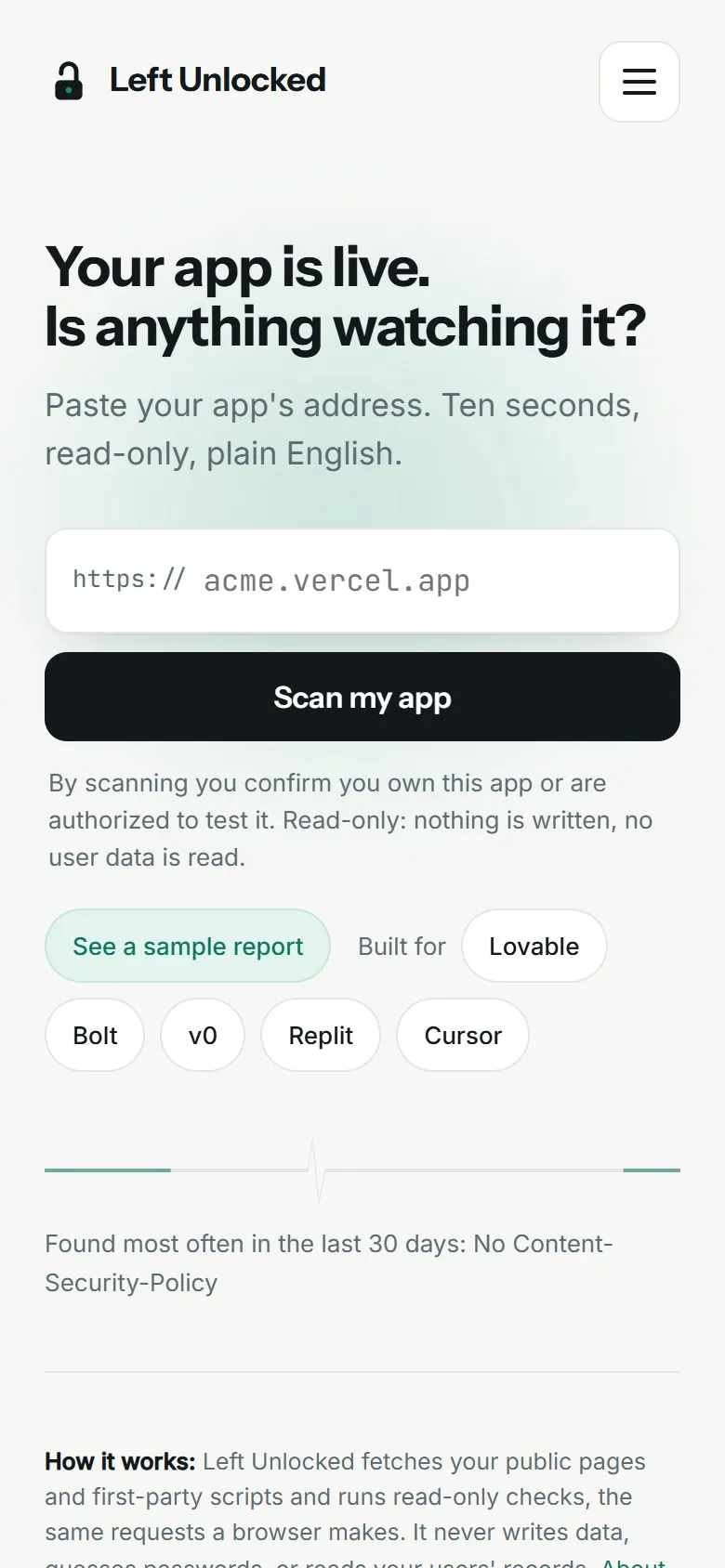
The scan is on the homepage
One field and one button, above the fold. The first scan runs straight from the homepage, and an account comes in only with Pro, which repeats the scan every week.
Considered: a standard landing page with features and pricing before sign-up, dropped because visitors come to check their app right away.
What the scanner does, right by the button
Next to the button it says exactly what the scan touches: the public pages and scripts, fetched with the same requests a browser makes. A separate page explains what the bot does, its limits and how to block it.
Considered: a legal checkbox, dropped because people tick it without reading.
Plain explanations and ready-made fixes
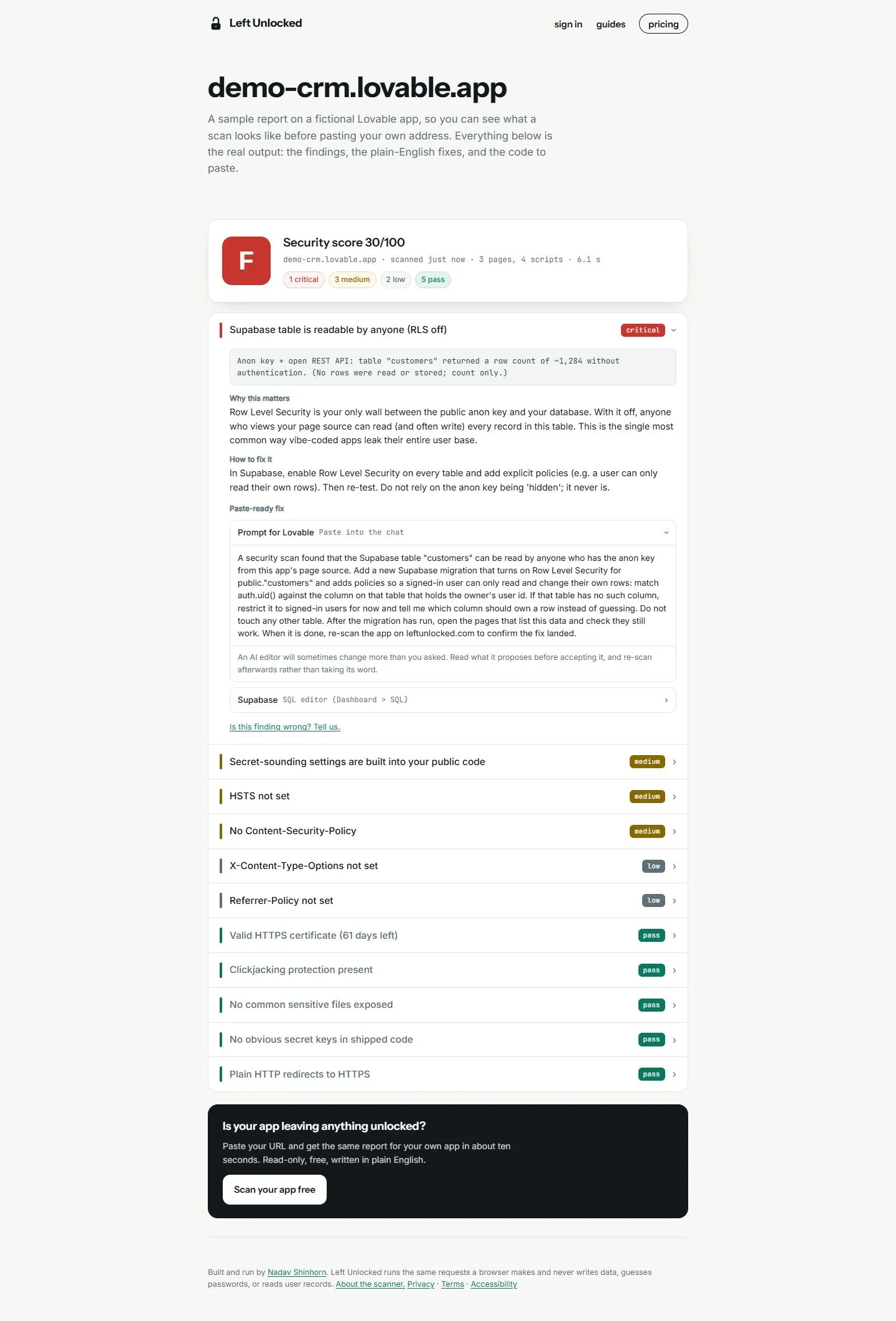
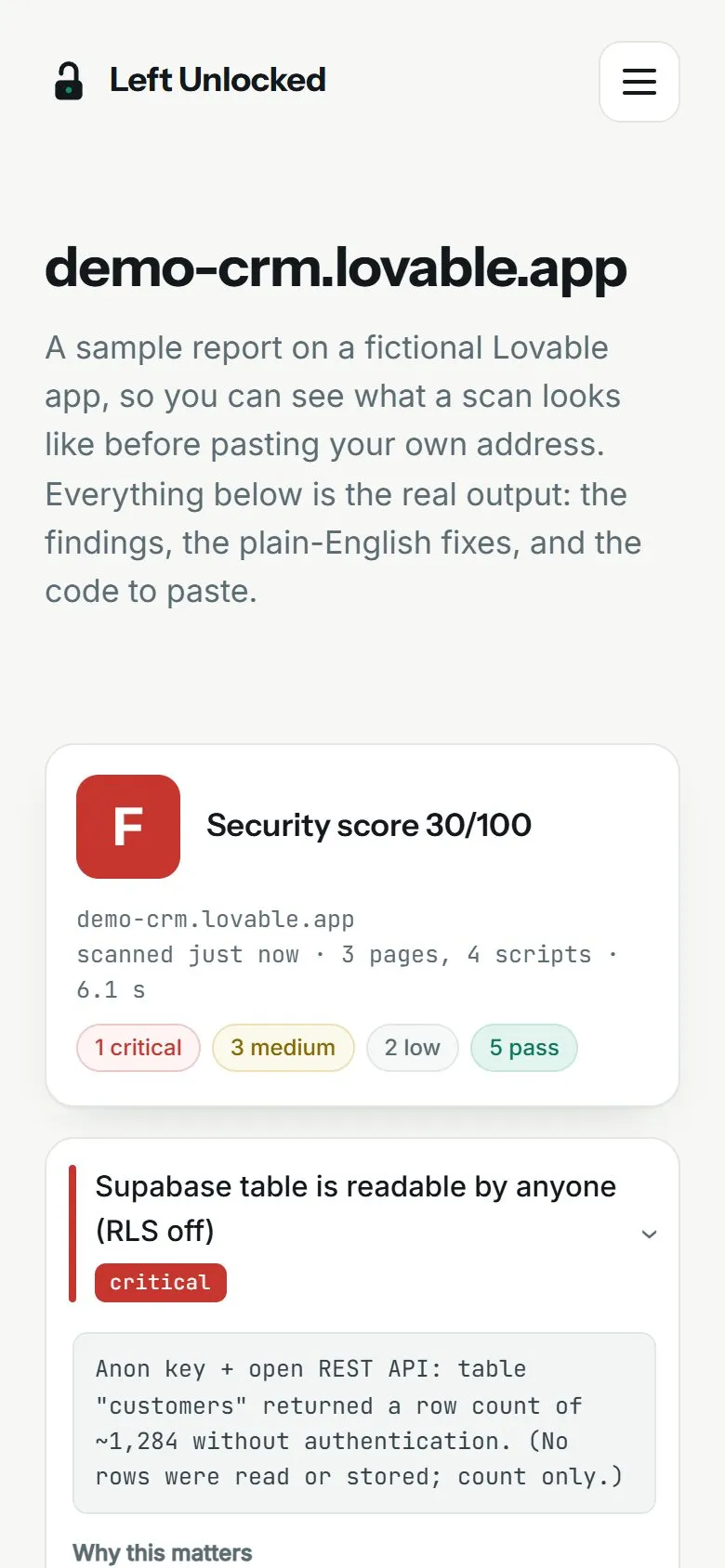
Every finding follows the same order: the evidence, why it matters, how to fix it, and a paste-ready fix for the tool the app was built with: a prompt for Lovable, SQL for Supabase, config for Vercel, Netlify and Nginx.
Considered: a list of findings with CVE codes and links to docs, dropped because people who built their app with an AI tool need the fix itself.
Server-rendered HTML and a little JavaScript
HTML built on the server, a few small hand-written JavaScript modules, and fonts with tuned fallbacks, so the page holds still while they load.
Considered: a full React app, dropped because one field and a button need only a few small modules.
Color, type and details
Your app is live.
Ten seconds, read-only, plain English.
https:// my-store.lovable.app
- A heartbeat line: one SVG with a single spike. A green segment runs along it every seven seconds, and every 1.2 seconds during a scan. It’s the only animation on the site, on purpose.
- A five-color severity scale, from critical to info, so you can read a report before reading a word.
- The grade is announced to screen readers, and focus moves to it when the scan finishes.
- Support for reduced motion, Windows high contrast mode and the "increase contrast" setting, all in the site’s own CSS.
- The placeholder in the URL field types out real example addresses by itself, so it’s obvious what to paste.